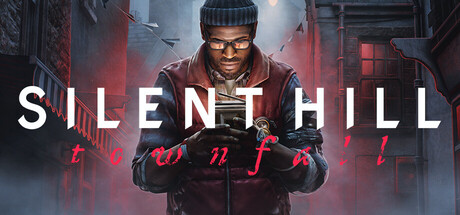
Patch 1.6.0 reshapes Silent Hill: Townfall’s difficulty options, makes player position visible on the map, and scales enemy hearing with difficulty. This spoiler-light guide explains what the official notes confirm and how to approach a new run.
Check the version number before changing your approach
Silent Hill: Townfall patch 1.6.0 arrived on October 28 with a new Hard difficulty and several changes to how existing modes play. KONAMI’s notice says the menu should show v1.6.155963 on PC stores, while the PlayStation 5 version is v1.6.156035. Before testing any new difficulty advice, verify that your game has the patch; otherwise the behavior you see may not match the current notes.
The most visible change is a new Hard option, but the update also rebalances elements across all difficulties. Resource amounts change in some sections, player position is now shown on the map in every difficulty, and enemy hearing sensitivity varies by setting. That means a fresh run can feel different even if you do not select Hard. The notes do not provide exact resource quantities or hearing distances, so this guide avoids making up numbers.
Use the update as a reason to choose the experience you want rather than automatically selecting the hardest label. If you have already completed a run, you may want to compare the new mode. If this is your first time in Townfall, a lower setting may give you more room to learn its sound cues, map, and puzzle language.
Pick difficulty based on the kind of tension you enjoy
The patch notes say the difficulty selection descriptions are clearer and that the changes aim to create a smoother curve between options. Read those current descriptions before starting. A horror game can be challenging through resource pressure, enemy behavior, navigation, or puzzle uncertainty, and different players enjoy different balances of those elements.
Hard mode is a good choice if you want more pressure and are comfortable learning through mistakes. The notes confirm that enemies hear more as difficulty rises, so noise discipline becomes a bigger consideration. If you are still learning the basics, you can begin on another setting and return later. The game’s difficulty menu exists to help match your preferences, not to grade your skill.
If you are replaying, choose one reason to try Hard: tighter resource planning, more careful movement, or a more demanding overall run. Do not change several habits at once. Pay attention to how often you are heard, what resources you use, and where you feel uncertain. That will help you decide whether the new setting is giving you the tension you wanted.
Treat sound as a gameplay resource on higher difficulties
Enemy hearing sensitivity now scales with difficulty, according to KONAMI. This gives movement a clearer trade-off: moving quickly can save time, but a noisier approach may attract attention. The patch does not list exact sound ranges or identify every action’s noise level. Use the live encounter to learn how the setting behaves, and avoid assuming a specific crouch or sprint distance guarantees safety.
When you enter an unfamiliar space, pause long enough to listen and understand where the threat is coming from. If the enemy reacts, take note of what you were doing immediately before it happened. One observation is not proof of a universal rule, but a few repeated patterns can help you make a more informed choice in that section.
Do not turn every moment into a slow crawl. The point is to manage risk, not remove all momentum. If the route is clear or the game encourages you to move, keep going and save resources for situations where they matter. A measured pace can make Townfall more readable, while overthinking every step can drain the tension from a horror game.
Use the player marker to orient yourself, not to skip exploration
Patch 1.6.0 makes the player’s position visible on the map in all difficulty modes. This is a useful quality-of-life change, especially when an encounter or puzzle leaves you unsure which corridor you came from. Check the map after reaching a recognizable landmark, then use the layout to decide your next direction.
A position marker does not reveal every clue or solve a puzzle for you. Keep checking the environment for doors, objects, and details that could explain why a route is blocked. If you get turned around, compare the map with one visual landmark instead of repeatedly opening it without a plan. This gives you orientation while preserving the feeling of exploring an unfamiliar place.
For players who like navigation pressure, the marker may feel like a change in the atmosphere. It can still be ignored if you prefer to navigate by memory, but the patch makes it available in all difficulty levels. Try it during a confusing section and decide whether it improves your experience. The setting is personal; the important thing is knowing the information is there.
Relearn resource expectations after the balancing pass
KONAMI says some sections have resource adjustments as part of the difficulty rebalance. That means a remembered route from an older version may not leave you with the same supplies. Check your inventory at safe moments and think about what each item is for before using it. Do not assume the patch made every section easier or harder; the official note only confirms adjustments in some places.
On a new run, use resources to solve the problem in front of you rather than saving everything for an imagined final encounter. If an item helps you safely pass a threat, compare that benefit with the cost of holding it unused. Keep a rough count of important supplies and notice whether your current difficulty gives you enough room to explore at your preferred pace.
If you replay on Hard, expect to make more deliberate choices because the overall setting and enemy hearing have changed. That does not prove a specific weapon or item is mandatory. Try the tools available in the current build, read their descriptions, and let your own encounters show where you need a different plan.
Use the new hints and accessibility improvements when they help
The patch adds player hints and tutorials, improves some puzzle clues and item wording, and improves valve status lighting for colorblind players. These are practical changes that can make the experience easier to read without removing the need to investigate. If a puzzle description felt unclear before, read the updated text carefully and look for how the wording relates to the objects around you.
The options menu has also been reorganized into clearer categories, and the control-remapping menu no longer implies that only gamepads can be remapped. If you play on keyboard and mouse, revisit that menu and set the controls that feel comfortable. Small changes to input can matter in a first-person horror game where you need to react while staying aware of your surroundings.
On PC, version 1.6.0 adds an NVIDIA DLSS Ray Reconstruction option. That is a rendering feature, not a gameplay setting, so treat it separately from difficulty and control choices. If you enable it, compare the image quality and performance on your own system. No graphics option is guaranteed to behave the same way across every GPU and display.
A simple plan for your next Townfall session
First, verify your version number and read the difficulty descriptions. Choose a setting that matches the tension you want. During play, use the map marker when you need to orient yourself, listen for enemy reactions, and check supplies before entering an unfamiliar stretch. If a puzzle seems unclear, review the updated hint text and inspect the nearby environment again.
After a difficult encounter, change one thing on the next attempt. You might take a quieter route, consult the map sooner, or use a resource instead of preserving it. One adjustment at a time makes it easier to understand why a section went better or worse. If you are replaying on Hard, remember that enemy hearing is explicitly more sensitive as difficulty increases.
Patch 1.6.0 does not publish a complete walkthrough or exact balance values, and this guide does not try to invent them. It gives you a framework for reading the official changes and using them in a real run. Townfall’s atmosphere still depends on uncertainty, so keep the useful new tools close and let the game retain its surprises.
CHECK THE ORIGINALS.
Facts and update details above are based on these official sources. Details can change as the game is updated.
- SILENT HILL: Townfall Patch 1.6.0 Notice ↗KONAMI / Screen Burn Interactive
- SILENT HILL: Townfall on PlayStation ↗KONAMI / PlayStation
Loading comments…